An anniversary gift that counts the years
The Dawaitna Team · 2026-10-20
Most anniversary gifts get opened once and forgotten: a card, flowers, a dinner. This one is a link, and what it shows changes every day. It is a counter of the years, months and days since the wedding.
What is on the page
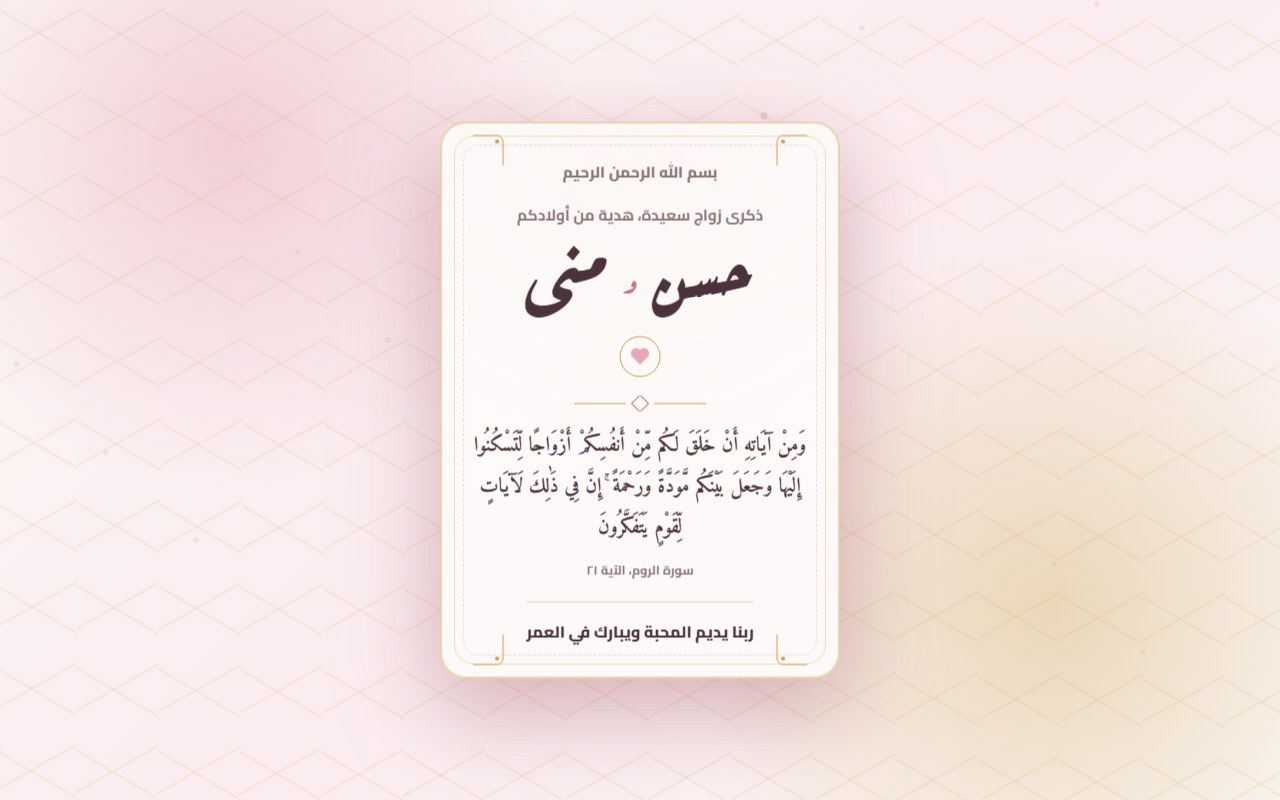
The page opens like a gift. There is an envelope with an "open your gift" button, then a card with the couple's names and one line above them, such as "Happy anniversary, a gift from your children".
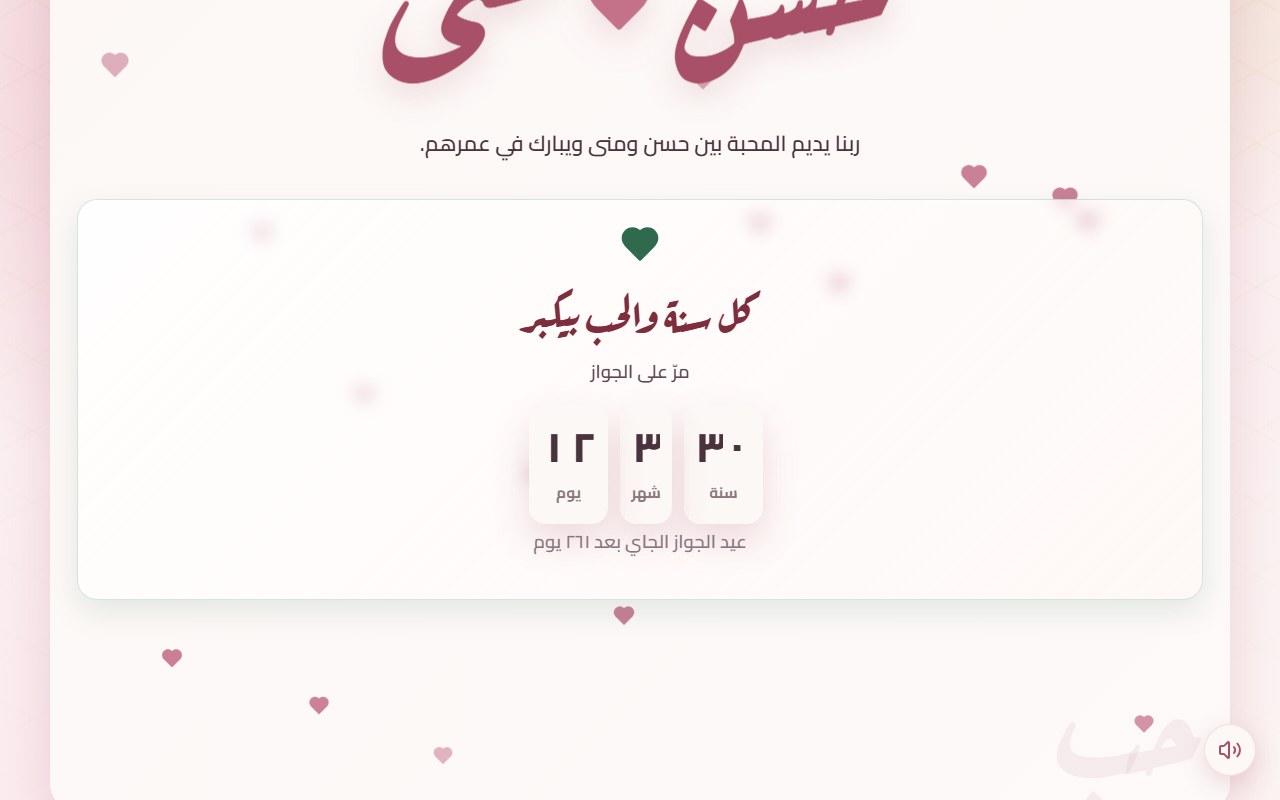
Below the card sits the counter. On the page in the picture at the top it reads 30 years, 3 months and 12 days. Under it, one line says how many days are left until the next anniversary, and on the day itself that line turns into a greeting.
Around the counter you can add your own words, a photo of the couple, a song that plays when the page opens, a prayer card, and a button that puts the anniversary in the phone calendar as a yearly reminder. There are three ways to open the page: a record player, a photo that develops, or a heart drawn in one line.
What is left out
An invitation needs a venue, a map and an RSVP form. A gift page has none of them, because nobody is being invited anywhere. What it asks for is two names, a date, and whatever the chosen design is built around.
Who gives it, and when
The common case is children making one for their parents. Brothers and sisters pool into one link instead of three separate presents. A husband can make one for his wife, and friends can make one for a couple they know.
Sending is the same for all of them: one link in the family WhatsApp group an hour before dinner. You don't have to wait for the anniversary itself. A page made a month ahead that says "10 days to go" has its own pull, because whoever opened it will wait for the day.
Making one
Go to the gift start page and sign in with Google or an email. Pick "anniversary", then a design. There are designs made for anniversaries, and many of the wedding designs also suit a gift.
After the design, one page asks for what the page needs to go live: the husband's name, the wife's name, the wedding date, and a photo if the design is built around one. Then the page is created and you can publish straight away. Everything else is optional and added later in the editor: the words, the song, a small quiz about the couple.
If the photo is the centre of the design, pick one where the faces are clear and away from the edges. An old wedding photo, even one taken on an old phone, works better than a new posed one.
Common mistakes
- The wrong date. Many people type the engagement date instead of the wedding. If you want to count from the engagement or from the day you met, there is a "together since" page for that.
- Long text. The words are read on a phone. Two short paragraphs beat five.
- Sending too fast. You have 72 hours to edit, so check the names once before you send.
Payment and privacy
The first 24 hours after publishing are free. After that the page pauses until you subscribe, paid by Instapay or an electronic wallet and confirmed by our team over WhatsApp. The price follows the design, so look at the pricing page before you decide.
The page stays out of search engines. Anyone with the link can open it, so send it only to the people you want to see it.