A graduation page with a cap that flies
The Dawaitna Team · 2026-11-05
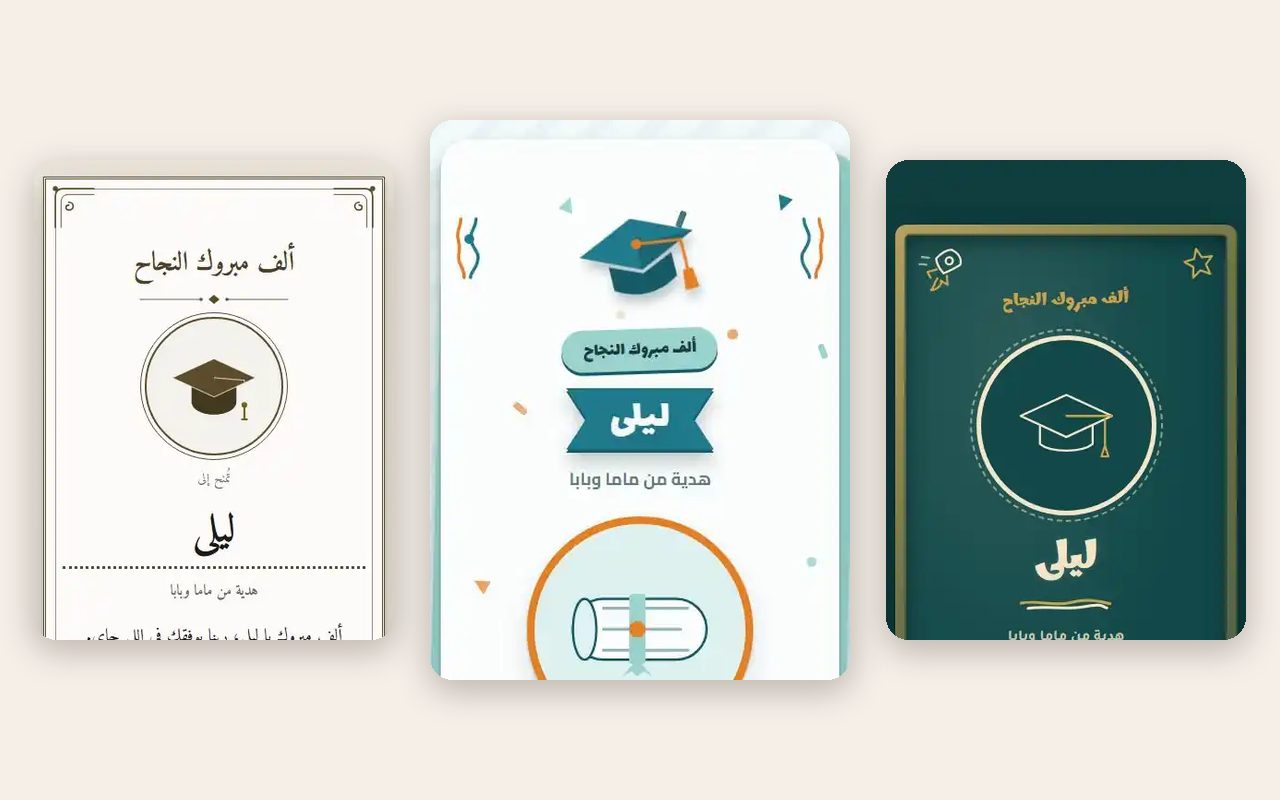
Graduation messages tend to say the same thing: congratulations, proud of you. A page can say it with the details that make it theirs.
Designs
Certificate is cream certificate paper with a seal and a ribbon. Cap and confetti is a flying graduation cap and bright confetti. Chalkboard is a green board with chalk writing.
Each has three palettes and three fonts. The certificate is the most formal. The chalkboard is the one for someone who spent four years in lecture halls with a dusty board. The cap and confetti one is for people who want noise.
In colours, Certificate comes in Ivory, Gold and Sand; Cap and confetti comes in Teal, Coral and Plum; Chalkboard comes in Emerald, Night and Obsidian gold. The fonts are your choice too: Certificate has Amiri, Ruqaa and Cinzel, and the other designs have three of their own. You can also set the text size to smaller, normal or larger.
How the graduate opens it
There are four openers.
- Cap toss. They tap the cap and it flies.
- Scroll. They tap or pull a scroll down.
- Curtain. They pull the cord and the curtains part.
- Scratch card. They scratch the card with a finger.
Cap toss is the default. The scroll goes well with the certificate design, and the curtain gives it a bit of ceremony, as if the result is being announced.
What to write
The form has four optional details about the graduate: the school or the faculty, the field of study, the year, and the result. They show on the page as plain labelled facts, so a line like "Faculty of Engineering, Mechanical, 2026" sits under the name.
Then you can add up to eight short notes from other people, each signed. This works well here. A parent, a flatmate and a professor can each write one line. You can also add up to twelve photos with captions, such as the first day on campus and the last exam.
Stock lines exist, for example "You worked for it and you got there" and "Success suits you". Use them if you are stuck, then replace one with a memory.
Before you send it
Check the spelling of the faculty and the field with the graduate's own paperwork, since those lines are printed like facts and a small error stands out. If the result is not out yet, build the page without it and add it later while you are still inside the edit window. The page can be ready the night before and sent the moment the news is official.
The link goes out on WhatsApp like any other. Whoever taps it sees the page open in the phone browser, with nothing to install and no account to make.
Making one
Go through the graduation pages and try the three designs with their palettes. The page is built and previewed before you pay. When you publish it, anyone with the link can open it free for 24 hours. After that it needs a one-time payment by Instapay or a mobile wallet. The price is shown on the occasion page.
The form asks which day you will give the card. You can edit until that day, or for 72 hours after you first publish, whichever comes first. The page stays up afterwards and only the editing closes. If you spot a wrong year, ask us and we can reopen it.
There is an Arabic version and an English version, so a graduate whose professors write in English can send it on.