Make your own wedding invitation in minutes
The Dawaitna Team · 2026-10-22
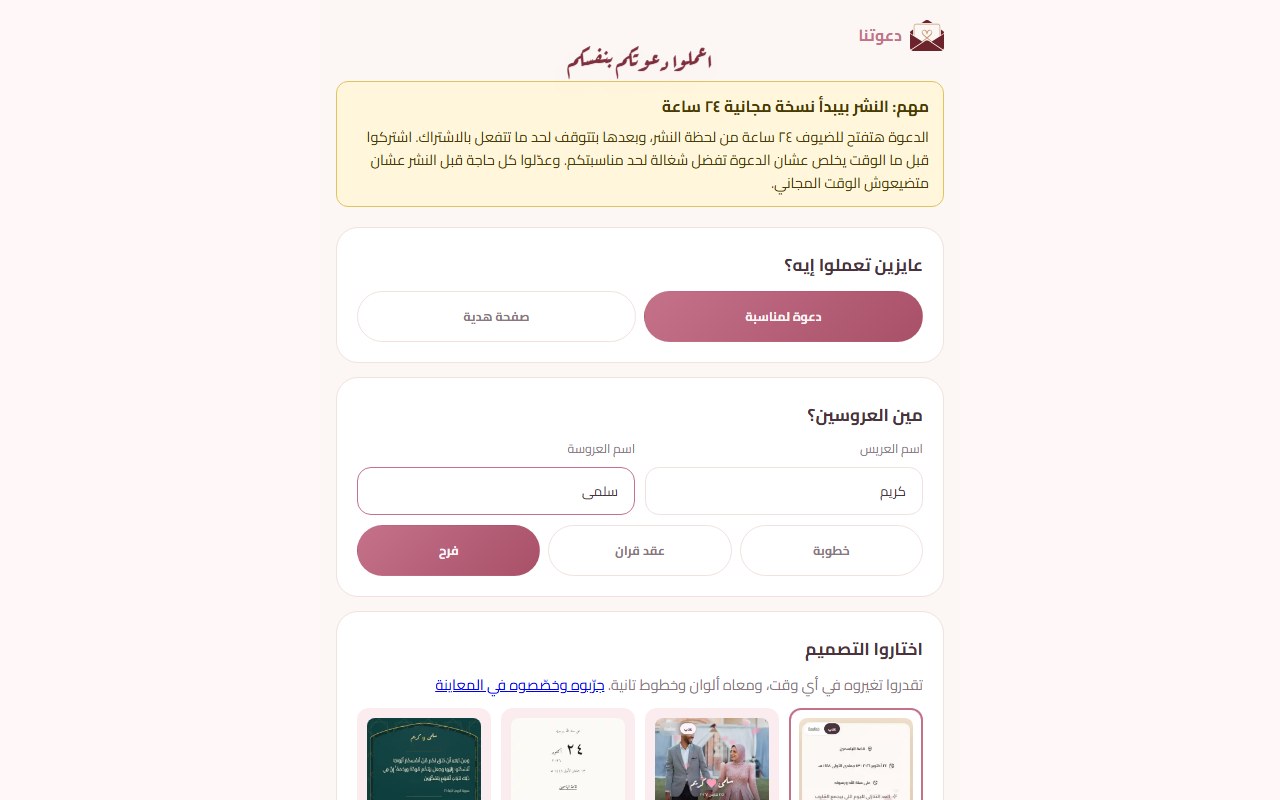
Not long ago, getting a Dawaitna invitation meant sending your details to an agent and waiting. That still works. You can now also build it yourself from your phone, and see it live before you pay.
Step one: choose
Open the start page and sign in with Google or an email. You pick "invitation", then its kind: engagement, katb kitab or wedding. Then you pick a design. You don't have to be sure on the first try, because the design, its colours and its fonts can be changed later without losing what you typed.
One page asks for everything
After the design comes a single page. It holds what the invitation needs in order to go live:
- The groom's name and the bride's name.
- The day of the wedding and the time.
- The venue. Paste a Google Maps link, and the map button and the ride buttons are set up from it.
- One thing the chosen design is built around. A photo design asks for a photo. Another asks for the names in English. The Storybook design asks for three questions about the two of you, and a formal evening design asks for the dress code. If the design needs nothing, the page asks nothing.
That is all. Then the invitation is created and you can publish it straight away. The whole thing takes about six taps, seven if the design needs a photo.
A tip on the map link: open it on your own phone first and check that it lands at the hall's entrance, not at a point near it. If you give only the hall's name and no link, guests will have to search for it themselves.
After publishing, everything else is optional
The optional sections live in your editor, under "my invitations". Each one says what it does and whether it adds to the price:
- A schedule of events, if the wedding has a henna night, a katb kitab and a zaffa.
- The quiz, "who knows us best?".
- The cash gift section, with an Instapay link or wallet numbers.
- Music and a zaghrouta sound.
- A verse, prayers and your own words.
- RSVP and a guestbook.
You do not need all of them. An invitation with the names, the venue, the map and a song is plenty for a family wedding.
Publishing and the free day
When you publish, a notice says plainly what happens next: the invitation is open to guests for 24 hours, free, then it pauses until you subscribe. The clock starts at the moment you publish, so don't publish while you are still getting ready.
If you want to try without pressure, open the link on a few phones, check the names, the date and the map, and only then send it. The price is the design's price plus an add-on if the invitation stores data (replies, wishes, hearts, the entry QR pass). How it is worked out is on the pricing page. Payment is by Instapay or a wallet, and the team confirms it over WhatsApp.
Following the replies
Someone who built the invitation themselves follows it from their own account, under "messages and attendance": the messages guests wrote, including the ones marked for your eyes only, the RSVPs by name, and the visit numbers. You can edit the invitation until the event starts, and the link never changes.
When an agent is the better choice
Some couples would rather send the details and get a finished link back. An agent does that, and also runs the guest list from their dashboard. (The same list, with a personal link for each guest and a QR entry pass at the door, is in your account if you build the page yourself.) A page made by an agent comes with a private follow-up code for the couple. With it they read the messages and RSVPs, and they can edit the words, names and photos for 12 hours from the first time they sign in. Each agent sets their own price, so ask before you start.
Start on your own. If you get stuck at one step, you can ask an agent to finish it for you.