Why a wedding countdown page matters
The Dawaitna Team · 2026-09-28
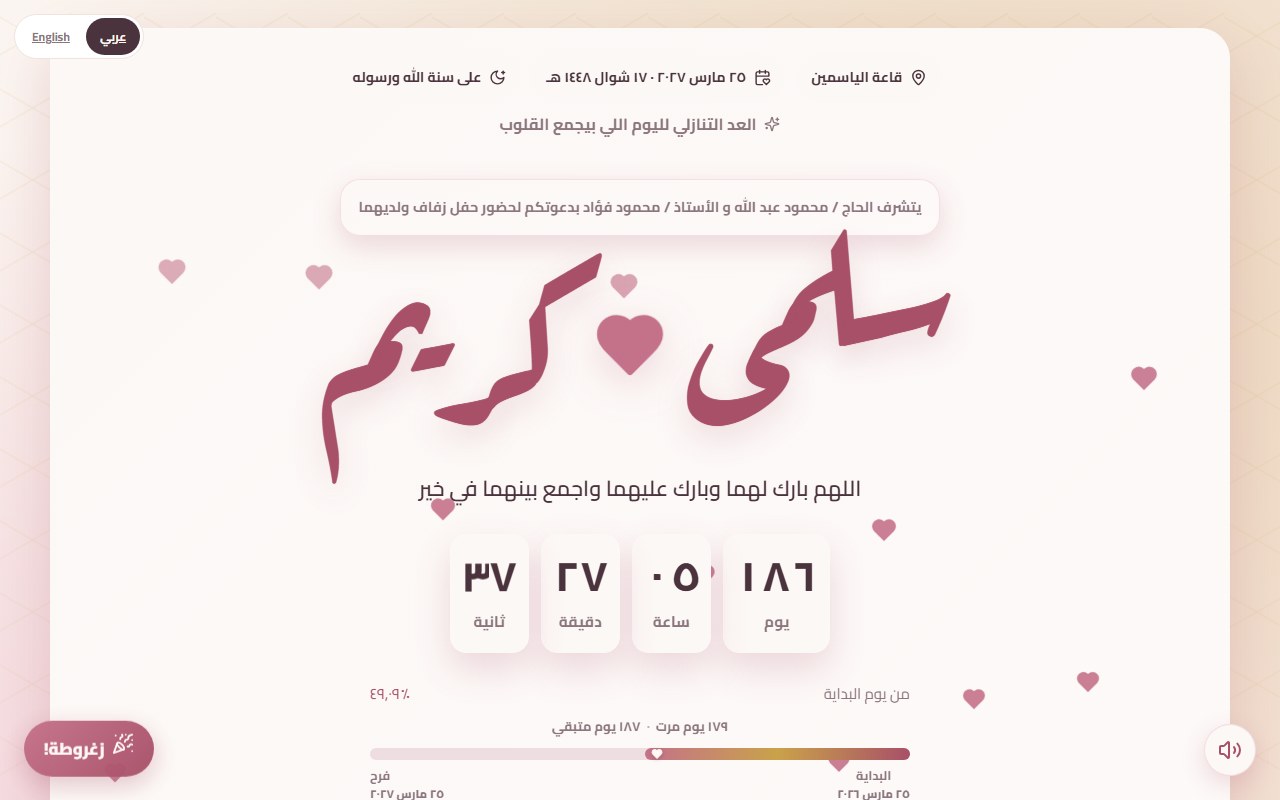
Plenty of people see a countdown as decoration: numbers that change for no reason. It is actually one of the parts that brings a guest back to the invitation more than once before the wedding.
The first thing the guest sees
After the guest opens the envelope, the countdown is the first section. Days, hours, minutes and seconds tick in front of them. A paper card has a fixed date. Here the guest feels the wedding getting closer, and the thing stops being "sometime soon". It changes what is in their head from "I will see" to "I need to get ready".
It brings the guest back
A paper invitation is looked at once and put in a drawer. A link with a live countdown gives a reason to open it again. Two weeks later the guest checks how many days are left, sees the map again, and remembers to book the flight or sort out what to wear for the henna. You do not need to remember to send a reminder. The invitation does it.
The progress bar
Next to the numbers there is a bar showing how much of the time between the day you published and the wedding has passed. It is a simple idea, but a guest reads "halfway there" or "almost here" at a glance, with no counting.
Guests abroad
The countdown helps most for far-away guests. A relative in the Gulf or Europe has work, leave and a ticket to think about. When they open the link and see "42 days", the date turns real. You do not need to message them every week, and they do not need to work out the time difference themselves.
The wedding day itself
This is the point many digital invitations miss: what happens when the countdown reaches zero? If it freezes at "0 days 0 hours", the page looks broken on the day it matters most. On Dawaitna the page switches to a different state on the wedding day, so a guest opening the link on the way to the hall finds a working page with the map and the Uber and Careem buttons, not a strange number frozen on screen.
How to set it properly
The countdown does not set itself. It reads the day and hour you enter at /start. Enter the time the event starts, not the time the couple arrives. If the zaffa starts at 9 pm and the hall opens at 8, write what you are telling guests. After you publish, open the invitation the next day and check that the days left match your own calendar. One minute saves a lot of "is it Friday or Saturday?" phone calls.
More than one event
If you have a katb kitab on Thursday and the wedding the Friday after, add the schedule from the editor. The countdown follows the main date, and the schedule shows each event with its place and time. Each event collects its own RSVP. A guest invited to both sees both on the same page.
After the wedding
The count does not have to stop. On the anniversary page and the "Our beginning" page, the same counter runs the other way: years, months and days since the start. A page made for the wedding can turn into an anniversary gift later.
Mistakes we see
Getting the date or time wrong at setup, so the whole countdown is wrong for everyone. Check twice. You can fix it in the editor and the link does not change. Sending the link a year ahead, when the counter reads 365 days and means nothing. Send it a few weeks before. And choosing a design with a small decorative font that makes the numbers hard to read on a phone. Look at the numbers before you pick.
The countdown is the first part of a page that also has RSVP, a guestbook and a map to the hall. Open the demo and watch it run on your phone.