Who can see your wedding guest messages
The Dawaitna Team · 2026-10-10
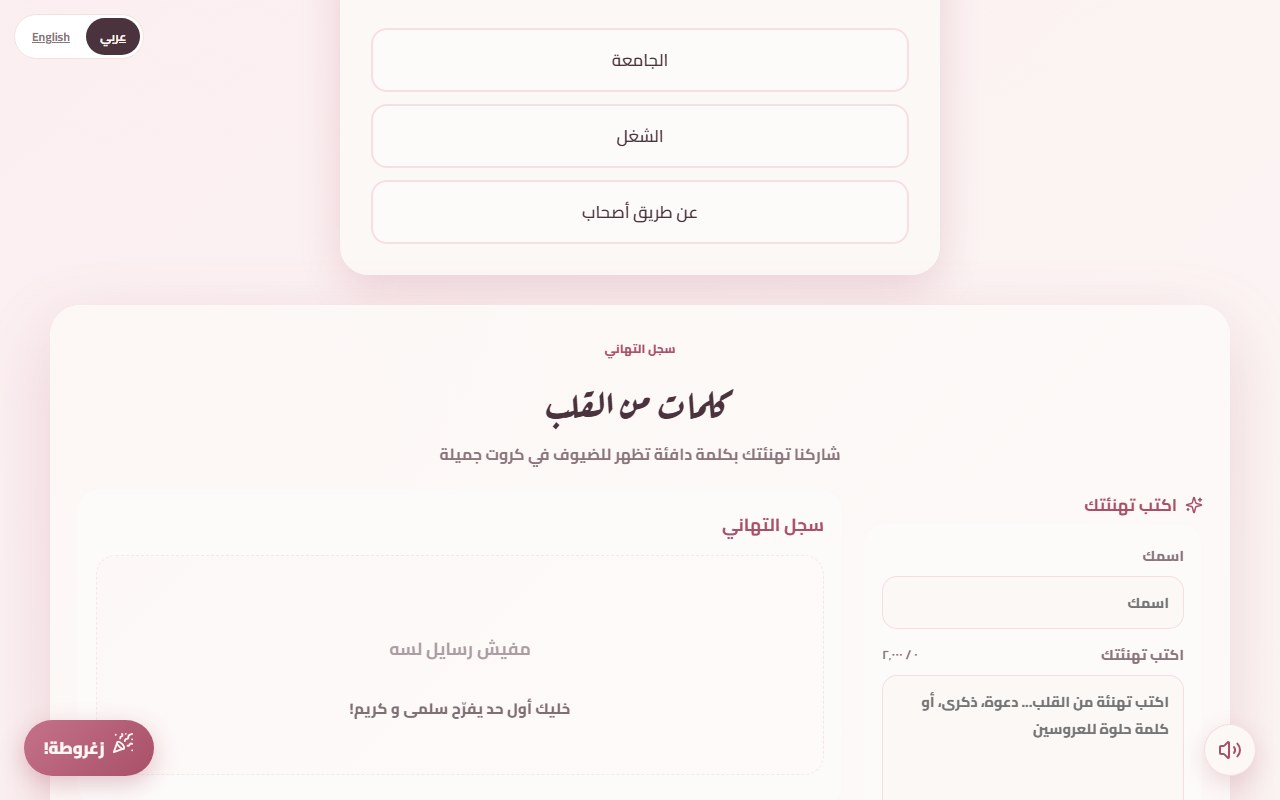
A guestbook message can be "Congratulations, remember when you failed maths in secondary school?" That is not meant for the wall your uncle and the neighbours read. So every message has a "show to other guests" box, and this post explains who sees what.
What gets recorded from a guest
There is no sign-in. What is kept:
- The guest's name and message in the guestbook. A name is required (up to 40 characters), and the message needs a few characters.
- In the RSVP: the name, the answer (attending, maybe or sorry) and the headcount. If the invitation has several events, the answer is recorded per event.
- Counters with no names: visits, love-taps and prayers.
- If you made a guest list with personal links: the names you typed, whether each guest replied, and whether and when their QR pass was scanned at the door.
The guest forms have no phone number or email field.
Who reads a message marked for your eyes only
The box next to each message is ticked by default. If the guest unticks it, the message does not appear on the wall. Only two kinds of reader can see it: the owner of the page (on an agent's page, the couple with their follow-up code) and the agent, if there is one. Anyone else with the link, even after a hundred visits, sees public messages only.
How you follow messages and RSVPs
It depends on who made the page.
If you built it yourself from the start page, you sign in to your account and tap "الرسايل والحضور" on your page. It shows the messages, the RSVP list and the visit numbers. There is no code to keep, because your account opens it.
If an agent made it (a photographer or planner, for example), the couple gets a private follow-up code. With it they read messages and RSVPs, and for 12 hours from the first time they sign in they can edit the page's words, names and photos. The design and the sections stay with the agent. The code exists only for agent pages.
Hiding and deleting
From the messages screen you can hide any message or delete it. Hiding takes it off the wall and keeps it saved. Deleting is permanent. If you are unsure about a message, hide it first. One practical habit: the family WhatsApp group will pass the link around fast, so read the wall on the morning of the wedding.
After the wedding
The invitation stays live for two years after the wedding, and you can add two more years for half the price. When the period ends, messages, RSVPs and photos are deleted for good. The basic record (names, dates, price) stays with the agent for their accounts only, if there is an agent. So copy any message you treasure and screenshot the RSVP list if you need it. To have the data deleted sooner, send the invitation link to the team on WhatsApp.
Photos and gift pages
Photos you upload are visible to anyone with the link, so do not upload a photo of someone who has not agreed. And every page, invitation or gift, opens for anyone who has its link, so send it only to the people who should see it. The full text is on the privacy page, and for how the guestbook itself works see the digital guestbook post.
Guest data is not sold, there are no ads on the invitation page, and guest lists are not shared with anyone else.