Helping wedding guests find the venue
The Dawaitna Team · 2026-10-06
An hour before the wedding, the groom's brother calls for the third time: is it the hall on the ring road or the one behind the mall? Your aunt from Mansoura is driving to Cairo for the first time. You have known the address for months. To your guests it is one line in a message buried under forty others.
A Maps link instead of a written address
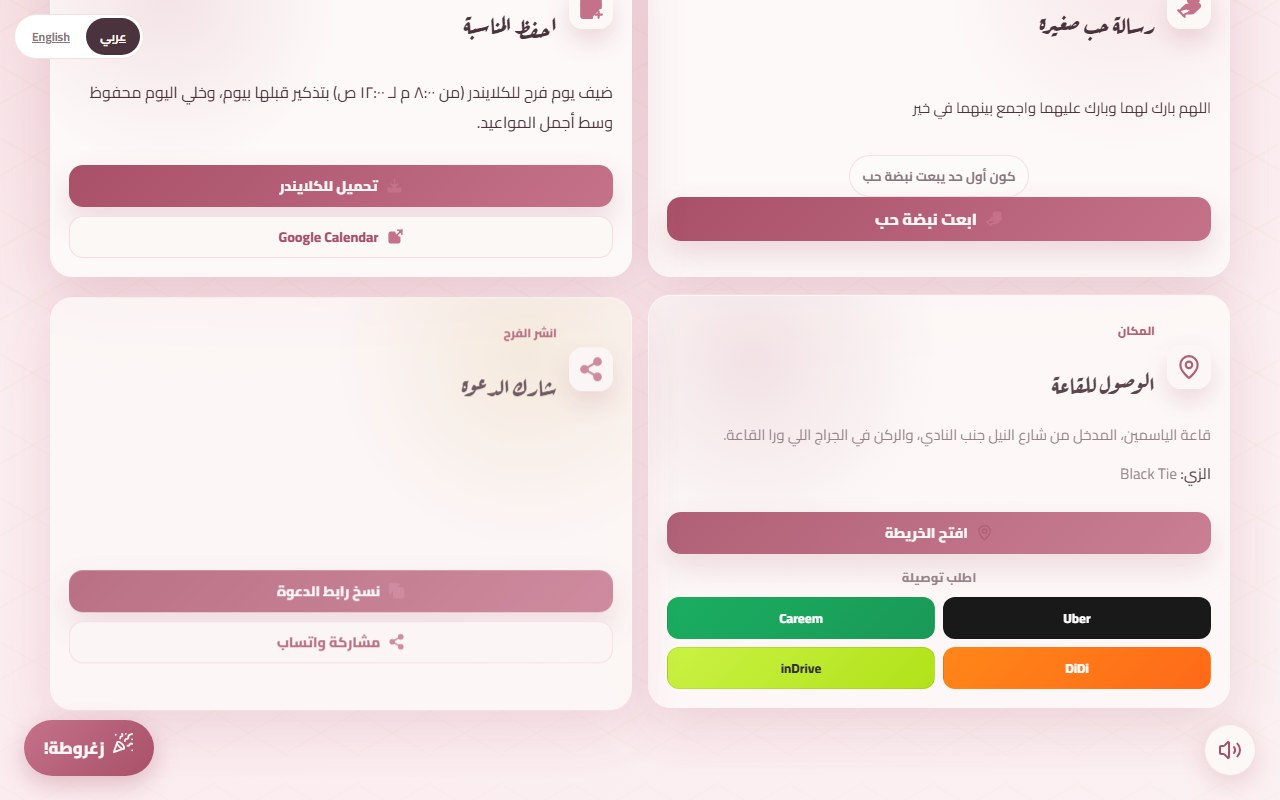
"Yasmin Hall, Nasr City" is not enough when three halls have nearly the same name. In the invitation you paste the Google Maps link of the hall. The guest taps "open the map" and lands on the exact pin in whatever maps app they use. While you set it up, the page shows the pin on a small map and asks if it is the right place. That is the moment to catch a link that picked the wrong branch.
The most common mistake is copying a link from the wrong place, such as a post advertising a shop next door. Search for the hall by name in Google Maps, check that the pin sits on its gate, then share.
A ride in one tap
Under the map there are four buttons: Uber, Careem, DiDi and inDrive. Each opens that app with the hall already set as the destination, so the guest only picks where to start from. It helps three kinds of people:
- A guest from another governorate who does not know the area.
- A family that does not want anyone driving home at 2 am.
- Someone in a suit or a dress who does not want to hunt for parking.
On an iPhone without the app, the button goes to the App Store. On a computer it opens the web page. Check that the rides section is switched on in your editor, since you turn it on yourself.
Notes that save phone calls
The venue card holds the hall name, a free note line and a dress code line. Write what guests will actually ask:
- "Enter from Nile Street next to the club, parking is in the garage behind the hall."
- "Ladies use the side door, men use the main entrance," if that is how the hall works.
- "Dress code: Black Tie," or "light colours" if you want that.
- If there is a zaffa before the hall: "The zaffa starts outside the house at 7, the hall opens at 8."
More than one event, more than one place
If you have a henna at the bride's house and a katb kitab at the hall two hours before the wedding, add each one to the event schedule with its own time. An event held away from the main hall gets its own place name, its own map link and a note line, where you can put the floor, the flat number and a nearby landmark. The venue card and the ride buttons point to the main venue.
Test it on a phone
Open the invitation on your phone, not the computer. Tap "open the map", then Careem. If the pin is right and the destination is filled in, it works. Send the link to a relative who does not know the area and ask whether they could find the hall without calling you. After you publish, you can still edit the notes from the editor until the event starts, and the link you sent never changes.
The easiest start is the start page. It asks for the hall name and the Maps link on the same page as the names and the date, and you can see how the card looks in the demo invitation.